Your Litecoin isn’t really “in” your wallet,it lives on the blockchain. What wallets actually do is store the private keys that prove you own it. Lose those keys, and your funds are gone forever. No customer support line can save you.
That’s why choosing the right wallet matters. Whether you’re holding Litecoin for the long haul or spending it regularly, understanding the security trade-offs between hardware, mobile, and web wallets will help you protect your investment. Hardware wallets offer bank-vault security but come with a price tag. Mobile wallets balance convenience with reasonable protection. Web wallets? They’re fast and easy, but you’re trusting someone else with your keys.
This guide walks through each wallet type, showing you exactly how they work, which ones to trust, and how to set them up securely. By the end, you’ll know which wallet fits your needs,and how to avoid the mistakes that cost people their crypto.
Key Takeaways
- Your Litecoin wallet stores private keys, not the cryptocurrency itself, making secure key management essential to prevent permanent loss of funds.
- Hardware wallets like Ledger and Trezor offer the highest security for storing Litecoin safely, keeping private keys offline and protected from digital threats.
- Mobile wallets such as Litewallet and Trust Wallet provide a practical balance between security and convenience for everyday Litecoin transactions.
- Web wallets should only be used for small amounts or temporary storage, as third-party platforms control your private keys and pose higher security risks.
- Always back up your recovery seed phrase on paper or metal and store it in multiple secure locations—never digitally—to ensure you can recover your Litecoin if needed.
- Enabling two-factor authentication, using unique passwords, and staying vigilant against phishing attacks are critical practices for protecting your Litecoin across all wallet types.
Understanding Litecoin Wallet Types

Litecoin wallets come in three main flavors, each designed for different priorities: security, convenience, or speed of access.
Hardware wallets are physical devices,think of them as USB drives purpose-built for crypto. They store your private keys on a secure chip that never connects directly to the internet. This “cold storage” approach makes them nearly immune to remote hacks, malware, or phishing attacks. If someone wants your Litecoin, they’d need to physically steal the device and crack your PIN. Examples include Ledger Nano S, Ledger Nano X, and Trezor models.
Mobile wallets are smartphone apps that let you manage Litecoin on the go. They keep your private keys on your phone, protected by the device’s security features,biometric locks, PINs, encryption. They’re not as bulletproof as hardware wallets, but they’re miles ahead of web wallets in terms of control. You own the keys. Popular choices include Litewallet (the official Litecoin wallet), Trust Wallet, and Exodus.
Web wallets run in your browser and are hosted by third-party services. You access them with a username and password, and the service manages the keys on your behalf. They’re convenient for quick trades or small amounts, but you’re essentially trusting the platform not to get hacked,or disappear. BitGo and Blockchain.com are well-known examples.
Each type sits on a different point of the security-convenience spectrum. Hardware wallets are the Fort Knox option. Mobile wallets are your everyday carry. Web wallets are the loose change in your pocket.
Hardware Wallets for Litecoin Storage

If you’re holding a meaningful amount of Litecoin,anything you’d be upset to lose,hardware wallets are the gold standard. They’re built for one job: keeping your private keys offline and out of reach from digital threats.
How Hardware Wallets Protect Your Litecoin
The magic of hardware wallets is isolation. Your private keys are generated and stored inside a secure chip that never exposes them to your computer or the internet. When you want to send Litecoin, the transaction is created on your computer, sent to the hardware wallet, signed inside the device, and then sent back. The key never leaves the chip.
To access the wallet, you’ll need to enter a PIN directly on the device. Get the PIN wrong too many times, and the wallet wipes itself. Even if someone steals your hardware wallet, they can’t brute-force their way in.
Every hardware wallet also generates a recovery seed phrase,usually 12 to 24 words,when you first set it up. This phrase is the master key to your funds. If your device breaks, gets lost, or is stolen, you can restore your Litecoin on a new device using the seed. But if someone else gets the seed, they own your coins. That’s why you write it down on paper (or engrave it on metal) and store it somewhere safe. Never type it into a computer or take a photo of it.
Top Hardware Wallet Options
Three devices dominate the hardware wallet market, and all three support Litecoin:
| Wallet | Key Feature |
|---|---|
| Ledger Nano S | Affordable entry point, supports 5,500+ cryptocurrencies |
| Ledger Nano X | Bluetooth connectivity, mobile-friendly, larger storage |
| Trezor | Open-source firmware, established reputation, easy recovery |
Ledger Nano S is the budget pick,it’s simple, reliable, and does the job without frills. Ledger Nano X adds Bluetooth so you can pair it with your phone via the Ledger Live app, making it more versatile if you manage assets on the move. Trezor has been around since 2013 and has a loyal following thanks to its transparent, open-source approach and intuitive interface.
All three offer solid security. Your choice comes down to budget, whether you want mobile compatibility, and personal preference for user experience.
Setting Up Your Hardware Wallet
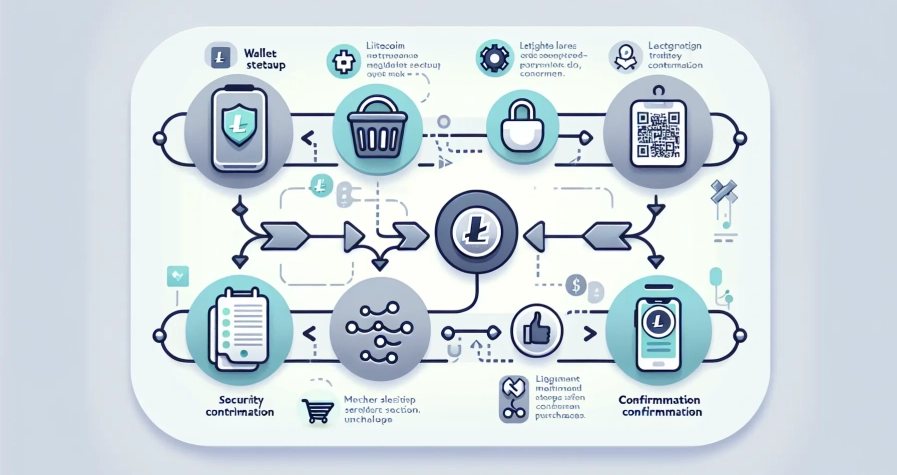
Setting up a hardware wallet takes about 10–15 minutes. Here’s the basic process:
- Initialize the device: Plug it in and follow the on-screen prompts. You’ll be asked to set a PIN,choose something memorable but not obvious.
- Generate your recovery seed: The device will display 12 to 24 words, one at a time. Write them down in order on the recovery card provided. Some wallets will ask you to confirm a few words to make sure you copied them correctly.
- Install the companion app: Download the official software (Ledger Live for Ledger, Trezor Suite for Trezor). This is how you’ll manage your Litecoin and check balances.
- Add Litecoin: Open the app, install the Litecoin app onto your hardware wallet, and generate a receiving address.
Once that’s done, you can send Litecoin to your new hardware wallet address. The coins will be locked behind your PIN and seed phrase, safe from the internet.
Never skip the seed phrase step. It’s your lifeline if anything goes wrong.
Mobile Wallets for Convenient Access
Hardware wallets are great for long-term storage, but they’re overkill if you just want to grab coffee with Litecoin or send a quick payment. That’s where mobile wallets shine,they put your crypto in your pocket without sacrificing too much security.
Mobile wallets are apps that run on your smartphone and store your private keys locally. Unlike web wallets, you control the keys. Unlike hardware wallets, they’re always connected to the internet, which makes them more vulnerable,but also more practical for everyday use.
Security Features to Look for in Mobile Wallets
Not all mobile wallets are created equal. Here’s what separates the good ones from the risky ones:
- Biometric authentication: Face ID or fingerprint scanning adds a layer of protection if someone gets hold of your phone.
- PIN or password lock: Essential if your device doesn’t support biometrics.
- Recovery phrase backup: You should be able to generate and write down a seed phrase when you first install the app. This lets you restore your wallet if you lose your phone.
- Regular updates: Active development means bugs and vulnerabilities get patched quickly.
- Open-source code (bonus): Transparent code lets security researchers audit the wallet for flaws.
Avoid wallets that don’t give you control of your private keys. If the app doesn’t offer a recovery phrase, the company is holding your keys,and that’s a web wallet in disguise.
Recommended Mobile Wallet Solutions
Litewallet (formerly LoafWallet) is the official Litecoin wallet, developed by the Litecoin Foundation. It’s simple, lightweight, and designed specifically for Litecoin. You control your private keys, and the app never touches your funds. It’s open-source and free, making it a solid first choice if you only need Litecoin support.
Trust Wallet is a multi-currency wallet owned by Binance. It supports thousands of cryptocurrencies, including Litecoin, and integrates with decentralized apps (dApps). It’s non-custodial, meaning you hold the keys, and it offers biometric locks and recovery phrase backups. Trust Wallet is ideal if you manage multiple coins and want everything in one place.
Exodus is another popular multi-currency wallet with a slick interface and built-in exchange features. It supports Litecoin alongside 200+ other assets, and the design makes it beginner-friendly. Exodus also offers a desktop version if you want to sync between devices.
All three are solid choices. Litewallet is best for Litecoin purists. Trust Wallet and Exodus are better if you’re juggling multiple cryptocurrencies.
Web Wallets: Accessibility and Considerations
Web wallets are the least secure option on this list, but they’re also the fastest and easiest to use. If you need instant access from any device,no downloads, no hardware, no fuss,web wallets deliver.
These wallets run on third-party platforms and store your private keys on their servers. You log in with a username and password, and the service manages everything behind the scenes. It’s convenient, but it also means you’re trusting the platform with your funds. If they get hacked, go offline, or freeze your account, you could lose access.
When to Use Web Wallets
Web wallets make sense in a few specific scenarios:
- Small amounts: If you’re holding pocket change for occasional purchases or tips, the convenience might outweigh the risk.
- Frequent trading: Some web wallets integrate directly with exchanges, making it easier to move Litecoin in and out quickly.
- Temporary use: If you’re receiving Litecoin and plan to convert it or move it to a more secure wallet soon, a web wallet can serve as a short-term holding spot.
What you shouldn’t do is store significant amounts of Litecoin in a web wallet long-term. The risk of hacks, downtime, or regulatory seizures is too high. Think of web wallets as checking accounts,fine for day-to-day transactions, but not where you park your savings.
Security Best Practices for Web Wallets
If you do use a web wallet, take these precautions:
- Enable two-factor authentication (2FA): Use an authenticator app like Google Authenticator or Authy, not SMS. Text-based 2FA can be intercepted.
- Use a strong, unique password: Password managers like Bitwarden or 1Password make this easy.
- Choose reputable services: Stick with established names like BitGo or Blockchain.com, which have track records and security audits.
- Limit what you store: Only keep what you’re actively using in the web wallet. Transfer the rest to a hardware or mobile wallet.
Even with precautions, web wallets remain the weakest link in crypto security. Use them sparingly.
Essential Security Practices for All Wallet Types
No matter which wallet you choose, a few security habits apply across the board. Skip these, and even the best hardware wallet won’t save you.
Backing Up Your Wallet and Recovery Phrases
Your recovery seed phrase is the single most important thing you’ll generate in crypto. It’s a 12- to 24-word sequence that can recreate your wallet and access your funds on any compatible device. Lose it, and your Litecoin is gone. Let someone else find it, and they own your coins.
Here’s how to back it up properly:
- Write it down on paper or engrave it on a metal plate designed for seed phrases (these are fireproof and waterproof).
- Store copies in multiple secure locations,a safe at home, a safety deposit box, a trusted family member’s house.
- Never type it into a computer, phone, or cloud service. No photos, no screenshots, no password managers. Digital copies can be hacked or leaked.
- Don’t share it with anyone. Not your friends, not customer support (no legitimate company will ever ask for it), not even your dog.
Some people split their seed phrase across multiple locations for extra security, but this adds complexity. If you do it, make sure you can still reconstruct the full phrase if one location becomes inaccessible.
Protecting Against Common Threats
Crypto attracts scammers and hackers like honey attracts bears. Here’s how to avoid the most common traps:
- Beware of phishing: Fake wallet websites and emails try to trick you into entering your seed phrase or password. Always double-check URLs, and bookmark the official sites of your wallets.
- Download apps from official sources only: Use the Apple App Store, Google Play Store, or the wallet’s official website. Malicious versions of popular wallets exist on unofficial app stores and forums.
- Keep your software updated: Wallet developers release updates to patch security holes. Enable automatic updates if possible.
- Use strong, unique passwords: If your wallet or exchange account gets hacked because you reused a password from a data breach, that’s on you.
- Be cautious with public Wi-Fi: Avoid accessing wallets over unsecured networks. If you must, use a VPN.
Scammers are creative, but most attacks rely on user error,clicking the wrong link, trusting the wrong person, or cutting corners on security. Stay skeptical and double-check everything.
Choosing the Right Wallet for Your Needs
There’s no one-size-fits-all answer. The right wallet depends on how much Litecoin you hold, how often you use it, and your tolerance for inconvenience.
For large holdings or long-term storage, use a hardware wallet. If you’re sitting on more Litecoin than you’d be comfortable losing, the upfront cost of a Ledger or Trezor is a no-brainer. The security is unmatched, and the peace of mind is worth the hassle of plugging in a device when you need to make a transaction.
For daily use and moderate amounts, go with a mobile wallet like Litewallet or Trust Wallet. These give you quick access for payments and transfers without exposing you to the risks of web wallets. They strike the best balance between convenience and control.
For small amounts or temporary holding, web wallets are fine,just don’t make them your primary storage. Think of them as the spare change in your car’s cupholder. Convenient, but you wouldn’t keep your life savings there.
Many people use a combination: a hardware wallet for the bulk of their holdings, a mobile wallet for spending money, and maybe a web wallet for quick trades. This layered approach minimizes risk while keeping Litecoin accessible when you need it.
Eventually, the safest wallet is the one you’ll use correctly. A hardware wallet gathering dust because you find it too annoying isn’t helping anyone. Pick something that matches your habits, then follow best practices for that wallet type.
Conclusion
Storing Litecoin safely isn’t complicated, but it does require intention. Hardware wallets offer the highest security for serious holdings. Mobile wallets balance convenience and control for everyday use. Web wallets trade security for accessibility and should only hold small, temporary amounts.
The real key isn’t just choosing the right wallet,it’s using it correctly. Back up your recovery phrases offline, enable every security feature available, and stay alert to phishing and scams. Crypto puts you in charge of your own money, which is liberating. But it also means there’s no bank to call if you mess up.
Take the time to set up your wallet properly, store your backups securely, and treat your private keys like the valuable assets they are. Do that, and your Litecoin will be as safe as it can be.
Frequently Asked Questions
What is the safest way to store Litecoin long-term?
Hardware wallets like Ledger Nano X or Trezor are the safest option for long-term Litecoin storage. They keep your private keys offline on a secure chip, protecting them from remote hacks, malware, and phishing attacks while requiring physical access and a PIN to compromise.
Can I lose my Litecoin if I forget my wallet password?
If you have your recovery seed phrase (12–24 words), you can restore your wallet and access your Litecoin on a new device even without the password. However, if you lose both the password and seed phrase, your funds are permanently irretrievable.
How do mobile wallets like Litewallet keep your Litecoin secure?
Mobile wallets store your private keys locally on your smartphone, protected by biometric locks, PINs, and device encryption. Unlike web wallets, you control the keys directly, and most reputable mobile wallets provide recovery phrase backups for added protection.
Are web wallets safe for storing large amounts of Litecoin?
No, web wallets are not recommended for storing large amounts of Litecoin. They store private keys on third-party servers, making them vulnerable to hacks, platform failures, or account freezes. Use them only for small amounts or temporary holding.
What happens if my hardware wallet gets stolen or damaged?
If your hardware wallet is stolen or damaged, you can restore your Litecoin using your recovery seed phrase on a new compatible device. The thief cannot access your funds without your PIN, and repeated failed attempts will wipe the device.
How much does a Litecoin hardware wallet cost?
Litecoin-compatible hardware wallets typically range from $60 to $150. The Ledger Nano S is the most affordable option around $60, while the Ledger Nano X with Bluetooth connectivity costs approximately $150. Trezor models fall within this range as well.