The crypto world offers incredible opportunities, but it also comes with serious risks. Hacks, phishing scams, and exchange collapses have cost investors billions over the years. If you’re holding cryptocurrency, securing your assets isn’t optional,it’s essential.
The good news? You don’t need to be a cybersecurity expert to protect your crypto. By following a handful of proven security practices, you can dramatically reduce your exposure to threats and keep your digital assets safe from hackers, scammers, and technical failures.
In this guide, we’ll walk you through seven practical, battle-tested tips for keeping your crypto secure. Whether you’re a seasoned investor or just getting started, these strategies will help you sleep better at night knowing your investments are locked down tight.
Key Takeaways
- Hardware wallets provide the strongest defense for keeping your crypto secure by storing private keys completely offline and away from hackers.
- Two-factor authentication using authenticator apps or hardware security keys is essential, as SMS-based 2FA remains vulnerable to SIM-swapping attacks.
- Never store your private keys digitally—write them on paper or use metal backup solutions and keep multiple copies in separate secure locations.
- Phishing scams are rampant in crypto, so always verify website URLs carefully, bookmark legitimate sites, and never click unsolicited links.
- Using a password manager to generate and store strong, unique passwords for every account dramatically reduces your risk of breach.
- Regular software and firmware updates patch critical security vulnerabilities that hackers actively exploit on outdated systems.
- Diversify your crypto storage across hardware wallets, software wallets, and exchanges, keeping only small amounts on exchanges for active trading.
1. Use Hardware Wallets for Long-Term Storage
If you’re serious about securing your crypto, hardware wallets should be your first line of defence. These physical devices store your private keys offline, putting them completely out of reach from hackers, malware, and online threats. Think of them as a vault for your digital assets,disconnected from the internet and nearly impossible to compromise remotely.
Why Hardware Wallets Are the Safest Option
Hardware wallets dominate the security landscape for a few key reasons:
- Offline storage: Your private keys never touch an internet-connected device, which means they’re immune to phishing attacks, keyloggers, and remote hacking attempts.
- On-device transaction signing: When you need to send crypto, the transaction is confirmed directly on the hardware wallet itself. This prevents malware on your computer from tampering with transaction details.
- Full control: Unlike exchanges or custodial wallets, you maintain complete ownership of your assets. No third party can freeze your account, go bankrupt, or lose your funds.
- PIN and recovery phrase protection: Hardware wallets require a PIN to access and come with a recovery phrase that allows you to restore your wallet if the device is lost or damaged.
For anyone holding significant amounts of cryptocurrency long-term, hardware wallets are non-negotiable. They provide peace of mind that your assets are safe even if your computer or phone gets compromised.
Top Hardware Wallet Recommendations
Not all hardware wallets are created equal. Here are the most trusted options on the market:
- Ledger Nano S/X: One of the most popular choices, Ledger devices support thousands of cryptocurrencies and feature a secure element chip for added protection. The Nano X offers Bluetooth connectivity for mobile use.
- Trezor One/Model T: Known for their open-source firmware, Trezor wallets are beloved by security purists. The Model T includes a touchscreen for easier navigation and password entry.
- KeepKey: A solid budget-friendly option with a large display and straightforward interface, ideal for beginners.
When selecting a hardware wallet, prioritize devices with strong reputations, broad cryptocurrency support, and preferably open-source code that’s been audited by the community. And always purchase directly from the manufacturer,never buy used or from third-party sellers, as devices could be tampered with.
2. Enable Two-Factor Authentication (2FA) on All Accounts
If your crypto exchange or wallet account only relies on a password, you’re one data breach away from disaster. Two-factor authentication (2FA) adds a critical second layer of security by requiring an additional verification step beyond your password. Even if someone steals or guesses your password, they still can’t access your account without that second factor.
Choosing the Right 2FA Method
Not all 2FA methods offer the same level of protection. Here’s how they stack up:
- Authenticator apps (Google Authenticator, Authy): These generate time-based one-time passwords (TOTP) on your phone. They’re significantly more secure than SMS and work offline. Authy offers cloud backup, which is convenient but slightly less secure than Google Authenticator’s device-only approach.
- Hardware security keys (YubiKey, Titan): These physical devices provide the strongest 2FA protection available. You simply plug them into your computer or tap them on your phone to authenticate. They’re immune to phishing since they verify the website’s authenticity before responding.
- Biometric authentication: Fingerprint or face recognition can add convenience, but should be used alongside other 2FA methods rather than as a standalone solution.
For your most important accounts,especially those holding or trading crypto,consider using a hardware security key. For everything else, authenticator apps provide excellent protection with minimal hassle.
Avoiding SMS-Based Authentication
Here’s something crucial: SMS-based 2FA is better than nothing, but it has a serious vulnerability,SIM-swapping attacks. In these attacks, criminals convince your mobile carrier to transfer your phone number to a SIM card they control. Once they have your number, they can intercept your SMS codes and access your accounts.
SIM-swapping has been responsible for millions in stolen crypto. High-profile attacks have targeted investors, influencers, and even tech executives. Don’t become a statistic,switch to authenticator apps or hardware keys immediately if you’re still using SMS 2FA.
3. Keep Your Private Keys Offline and Secure
In the crypto world, there’s a saying: “Not your keys, not your coins.” Your private keys are the master password to your cryptocurrency. Anyone who gains access to them can transfer your assets without your permission,and there’s no customer service hotline to call for help.
Best Practices for Storing Private Keys
The golden rule: Keep your private keys offline and away from any internet-connected device. Here’s how to do it right:
- Write it down on paper: When you set up a wallet, you’ll receive a recovery phrase (usually 12 or 24 words). Write this down carefully on paper and store it in a secure location like a safe or safety deposit box.
- Use metal backup solutions: Paper can burn, tear, or fade over time. Metal backup devices (like Cryptosteel or Billfodl) allow you to stamp or engrave your recovery phrase onto stainless steel plates that can survive fire, water, and corrosion.
- Create multiple copies: Consider storing backup copies in separate physical locations,maybe one at home and one at a trusted family member’s house or in a bank safe deposit box.
- Use a passphrase: Many wallets allow you to add an extra word (a passphrase) to your recovery phrase for additional security. This creates a hidden wallet that can’t be accessed even if someone finds your recovery phrase.
What Never to Do with Your Private Keys
Just as important as what you should do is knowing what to avoid:
- Never store private keys digitally: Don’t save them in cloud storage (Google Drive, Dropbox), email them to yourself, or keep them in a note on your phone or computer. If hackers breach any of these services, your crypto is gone.
- Never share them: No legitimate company or support representative will ever ask for your private keys or recovery phrase. Anyone asking is trying to scam you.
- Don’t take screenshots: These can be synced to cloud services automatically or accessed if your device is compromised.
- Avoid “convenient” solutions: Apps that promise to back up your keys for you might get hacked or shut down. The whole point of crypto is self-custody,embrace it.
4. Beware of Phishing Scams and Fake Websites
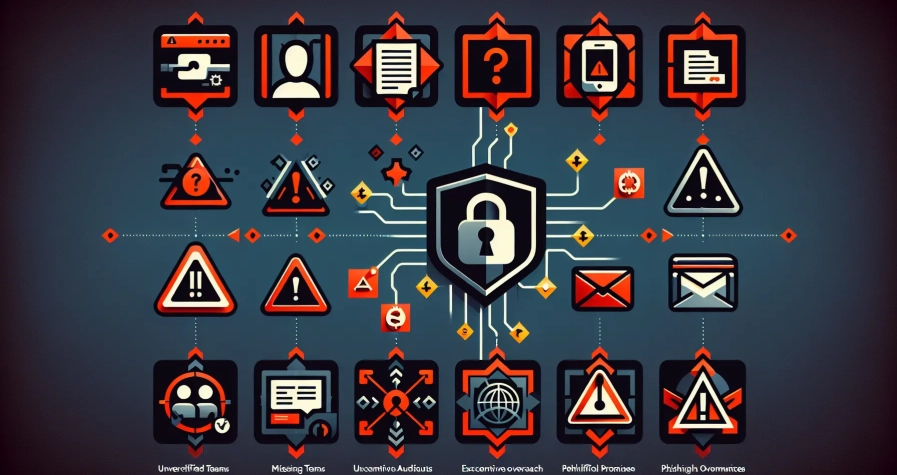
Phishing attacks are rampant in the crypto space, and they’re getting more sophisticated every day. Scammers create fake websites and emails that look nearly identical to legitimate platforms, tricking users into entering their passwords, private keys, or recovery phrases. Once they have that information, your crypto disappears in seconds.
How to Spot Phishing Attempts
Phishing attacks rely on urgency and deception. Here’s how to protect yourself:
- Check the URL carefully: Scammers often register domains that are one letter off from legitimate sites (like “binannce.com” instead of “binance.com”). Always double-check the address bar before logging in.
- Look for HTTPS: Legitimate crypto platforms will always use HTTPS (the padlock icon in your browser). If a site doesn’t have it, leave immediately.
- Verify email sender addresses: Hover over the sender’s email address to see the actual domain. Phishing emails often come from addresses that look official at first glance but have subtle differences.
- Watch for urgent language: Scammers create artificial urgency (“Your account will be closed in 24 hours.”) to pressure you into acting without thinking.
- Be suspicious of unsolicited links: Don’t click links in emails, direct messages, or social media posts, even if they appear to come from crypto companies or influencers. Go directly to the website by typing the URL yourself.
Verifying Legitimate Crypto Platforms
Before entering any sensitive information, take these verification steps:
- Bookmark official websites: Save the correct URLs for your exchanges and wallets as bookmarks and always access them that way.
- Use official apps: Download wallet and exchange apps only from official app stores, and verify the developer name matches the official company.
- Enable anti-phishing codes: Many exchanges offer anti-phishing codes,unique phrases that appear in all official emails from the platform. If an email doesn’t include your code, it’s fake.
- Cross-reference on social media: If you receive an unexpected message claiming to be from a crypto platform, check their official social media accounts for announcements or contact their verified support channels directly.
Remember: if something feels off, it probably is. Take an extra minute to verify rather than rushing in and potentially losing everything.
5. Use Strong, Unique Passwords and a Password Manager
Weak or reused passwords are one of the easiest ways for hackers to breach your accounts. If you’re using the same password across multiple sites and one gets hacked, attackers will try that password on every other platform they can find,including your crypto exchanges.
Creating Unbreakable Passwords
Strong passwords are your first defence against unauthorized access. Here’s the formula:
- Length matters most: Aim for at least 12 characters, but longer is better. A 16-character password is exponentially harder to crack than an 8-character one.
- Mix it up: Combine uppercase and lowercase letters, numbers, and special symbols. Avoid predictable patterns like “Password123.” or substitutions like “P@ssw0rd.”
- Make it random: Use completely random character combinations rather than dictionary words or personal information. Phrases like “Tr0ub4dor&3” are actually easier to crack than random strings.
- Never reuse passwords: Each account should have a completely unique password. This way, if one account is compromised, the damage is contained.
But here’s the problem: creating and remembering dozens of complex, unique passwords is basically impossible for most people. That’s where password managers come in.
A password manager like Bitwarden, 1Password, or Dashlane securely stores all your passwords behind one master password. They also generate strong random passwords for new accounts, auto-fill credentials on websites, and alert you if any of your passwords appear in data breaches.
Yes, putting all your passwords in one place sounds risky, but reputable password managers use military-grade encryption and have been extensively security audited. They’re dramatically safer than reusing passwords or storing them in a notebook or unencrypted document.
Just make sure your master password is exceptionally strong,and never store it digitally. Write it down and keep it somewhere safe.
6. Regularly Update Your Software and Wallet Firmware
Security isn’t a one-time setup,it requires ongoing maintenance. Software vulnerabilities are discovered constantly, and developers release patches to fix them. If you’re not updating regularly, you’re leaving the door wide open for attackers who know exactly which vulnerabilities to exploit.
Why Security Patches Matter
Every piece of software has bugs, and some of those bugs can be exploited for malicious purposes. When developers discover security vulnerabilities, they release updates (patches) to close those gaps. Here’s why staying current is critical:
- Exploit prevention: Hackers actively scan for devices running outdated software with known vulnerabilities. Once an exploit becomes public knowledge, attackers move fast to take advantage before users update.
- Protection against new threats: The security landscape evolves constantly. Updates include defenses against newly discovered attack methods and malware strains.
- Hardware wallet security: Hardware wallets receive firmware updates that patch security issues, improve functionality, and add support for new cryptocurrencies. Skipping these updates can leave you vulnerable.
- Exchange and wallet apps: Mobile and desktop wallet apps regularly push security improvements. Enable automatic updates where possible, or at minimum check for updates weekly.
Make it a habit to check for updates at least once a month. For hardware wallets, visit the manufacturer’s official website to download firmware updates,never install firmware from third-party sources or suspicious emails.
Also update your operating system, browser, and antivirus software regularly. A compromised device can undermine even the best crypto security practices.
One pro tip: before updating critical wallet software, research the update in community forums to ensure it’s legitimate and doesn’t have reported issues. But don’t delay updates indefinitely,apply them within a few days of release once they’ve been verified by the community.
7. Diversify Storage Locations and Limit Exchange Holdings
There’s an old investment saying: “Don’t put all your eggs in one basket.” This wisdom applies perfectly to crypto security. Concentrating all your digital assets in one place,especially on an exchange,creates a single point of failure that could wipe out your entire portfolio.
The Risk of Keeping Crypto on Exchanges
Crypto exchanges are convenient for trading, but they’re also prime targets for hackers and come with risks beyond your control:
- Exchange hacks: Major exchanges have lost billions to sophisticated hacking attacks. Mt. Gox, Coincheck, and more recently FTX demonstrated that no exchange is too big to fail.
- Insolvency and bankruptcy: If an exchange goes bankrupt or engages in fraud, your funds could be frozen or lost entirely. Unlike traditional banks, crypto exchanges typically aren’t insured.
- Account freezes: Exchanges can freeze your account for various reasons,suspected fraud, regulatory compliance, or even mistakes in their systems.
- You don’t control the keys: When your crypto sits on an exchange, the exchange controls the private keys, not you. You’re essentially trusting them with your assets.
Keep only what you need for active trading on exchanges. For everything else, withdraw to wallets where you control the keys.
Creating a Multi-Layered Security Strategy
The smartest approach combines multiple storage methods based on how you use your crypto:
- Cold storage (hardware wallets): Store the bulk of your long-term holdings here,anything you don’t plan to touch for months or years.
- Warm storage (software wallets): Keep moderate amounts in reputable software wallets (Exodus, Electrum) for occasional transactions. These are more convenient than hardware wallets but less secure.
- Hot wallets (exchange/mobile): Maintain only small amounts for active trading or regular spending. Think of this as your crypto “checking account.”
- Multiple hardware wallets: For very large holdings, consider splitting assets across multiple hardware wallets stored in different physical locations. This protects against device failure, loss, or physical theft.
- Multi-signature wallets: For advanced users, multi-sig wallets require multiple private keys to authorize transactions, adding another security layer.
Diversification isn’t just about which cryptocurrencies you own,it’s about how and where you store them. By spreading assets across different storage types and locations, you ensure that no single failure point can compromise your entire portfolio.
Conclusion
Securing your cryptocurrency doesn’t require advanced technical skills,just consistent application of proven security practices. By using hardware wallets for long-term storage, enabling strong two-factor authentication, keeping your private keys offline, staying vigilant against phishing attempts, using unique passwords with a password manager, keeping your software updated, and diversifying your storage locations, you’ll be miles ahead of most crypto holders.
These seven tips work together to create multiple layers of defence. Even if one layer fails, the others protect your assets. And that’s the key to crypto security: assume threats will come, and build your defenses accordingly.
The crypto space rewards those who take security seriously. Don’t wait for a wake-up call in the form of lost funds. Carry out these strategies today, and you’ll have the peace of mind that comes with knowing your digital assets are truly secure. Your future self will thank you.
Frequently Asked Questions
What is the safest way to store cryptocurrency long-term?
Hardware wallets are the safest option for long-term crypto storage. These physical devices store your private keys offline, making them immune to hacking, phishing, and malware attacks while giving you complete control over your assets.
Why should I avoid keeping large amounts of crypto on exchanges?
Exchanges are prime targets for hackers and can face insolvency or bankruptcy, potentially freezing or losing your funds. Since exchanges control the private keys, not you, it’s safer to withdraw crypto to personal wallets for long-term holdings.
How does two-factor authentication protect my crypto accounts?
Two-factor authentication adds a second verification layer beyond your password, requiring an additional code or device to access your account. Even if hackers steal your password, they can’t log in without the second authentication factor.
What is a SIM-swapping attack and how can I prevent it?
SIM-swapping occurs when criminals convince your mobile carrier to transfer your number to their control, intercepting SMS codes. Prevent this by avoiding SMS-based 2FA and using authenticator apps or hardware security keys instead.
Can I recover my crypto if I lose my hardware wallet?
Yes, if you’ve securely stored your recovery phrase. Hardware wallets provide a 12 or 24-word recovery phrase during setup that allows you to restore your wallet and access your crypto on a new device if the original is lost or damaged.
How often should I update my crypto wallet software?
Check for updates at least monthly and apply security patches within a few days of release. Regular updates fix vulnerabilities, protect against new threats, and ensure your wallet firmware has the latest security improvements to prevent exploits.